Help little ones see what comes next.
Calm Transitions is a picture-first timer for toddlers and preschoolers. Leaving the park, bedtime, getting in the car: they watch the time run out, pick between two good options, and know what happens next. No reading needed.
Free to start · One-time unlock · No ads, no accounts, no tracking
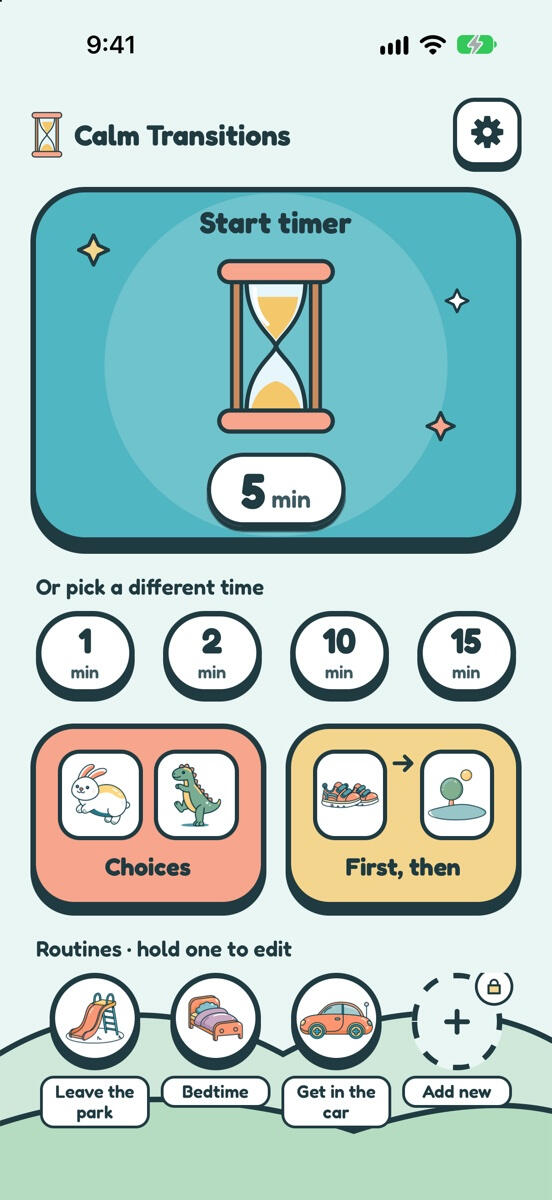
Big pictures. Hardly any words.
You hold the phone and show the screen. Your child watches, taps a picture, and knows exactly what is happening.
Three simple tools that work together
Use any one on its own, or stack them: run a timer at the park and have a choice pop up the moment time is up.
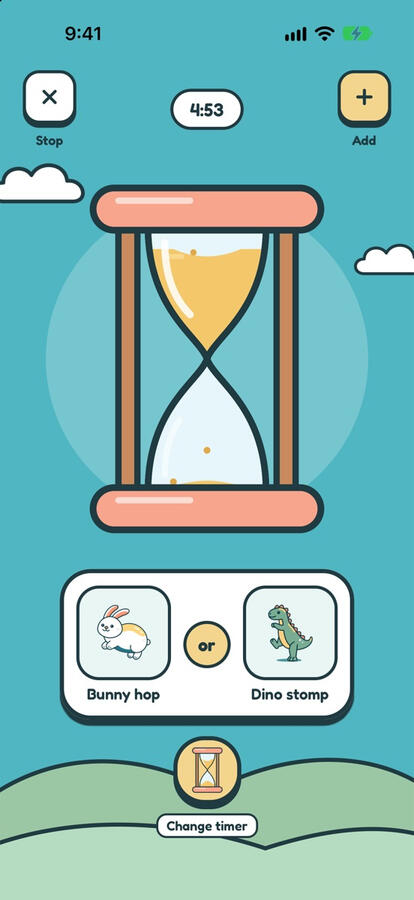
A timer they can see
Sand drains, a cookie gets nibbled, bubbles float away. “Five more minutes” finally means something to a three-year-old.
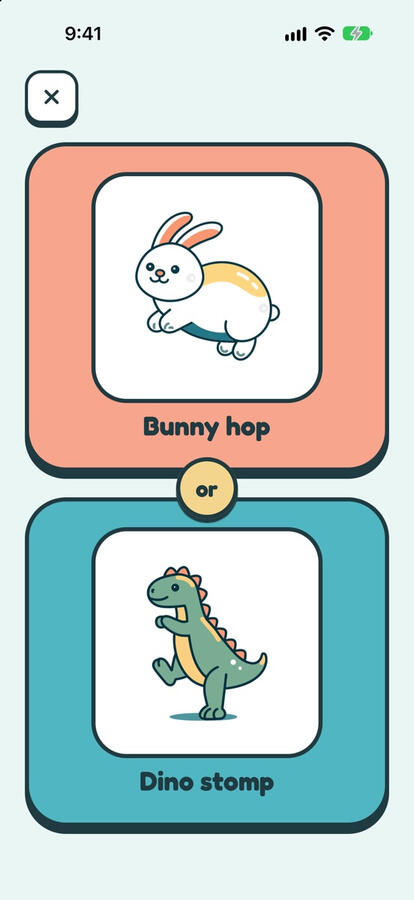
Two good choices
“Bunny hop or dino stomp to the car?” They tap a picture, their pick gets celebrated, and they feel in charge.
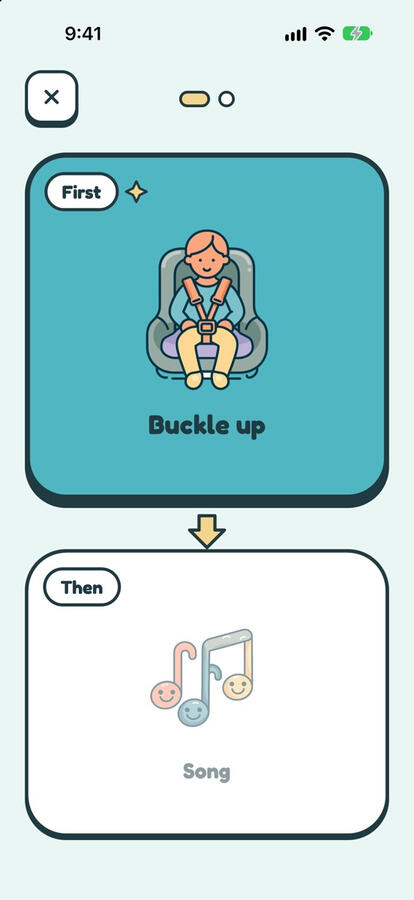
First, then
First buckle up, then a song. Tap the first card when it’s done and the fun part lights up.
Taking turns
Each child gets their own color. When the sand runs out, the timer flips over for the next turn.
Heads-up warnings
A gentle chime at two minutes and one minute, plus a buzz only you feel. It keeps working with the phone in your pocket.
Your routines, your photos
Save “Leave the park” or “Bedtime” to start in one tap, and snap photos of the real car seat or favorite swing.
Built on what works for young kids
Show time, don’t say it
Toddlers don’t understand “five minutes,” but they understand sand running out.
Warn more than once
A few gentle heads-ups land better than one sudden “time to go.”
Offer two good choices
Both options are fine with you, so they get a say and you still get out the door.
Ready for a calmer goodbye at the park?
Free to start. One purchase unlocks every animated timer, your own photos and more. No subscription.
Download on the App StoreSupport
Questions, ideas, or something not working? We read every email.
Email us
Restoring your purchase
Already unlocked Calm Transitions, but it isn’t showing on a new or reset device? In the app, open Settings, tap Unlock everything, then tap Restore purchase. Use the same Apple Account you bought with.
Sounds and alerts with the phone locked
Allow notifications for Calm Transitions in the iPhone Settings app so the warning chimes and the time’s-up sound can reach you while your phone is in your pocket.
Your photos
Pictures you add stay on your device. They are never uploaded. If you delete the app, they are removed with it.
Who holds the phone?
Calm Transitions is made for a grown-up to hold the phone and show the screen to a child. There’s nothing to sign up for and nothing for kids to buy.
Privacy Policy
Last updated November 25, 2026. The short version: there are no accounts, no ads, no analytics and no tracking.
Made to work without your data
Calm Transitions is made for parents and caregivers to show to their kids. We built it to work without collecting personal information.
What stays on your device
Your settings, routines and any photos you add are stored only on your iPhone, inside the app. We never upload them and we can’t see them. iOS may include this app data in your own iCloud or computer backups, which Apple handles under its privacy policy. Deleting the app deletes this data.
Camera and photos
The app asks for camera or photo library access only when you choose to add your own picture. Only the photos you pick are copied into the app. Nothing else in your library is read.
Notifications
If you allow notifications, timer warnings and the time’s-up alert are scheduled on your device. No notification data is sent to us.
Purchases
Payments are handled by Apple. We don’t see your name, email or payment details. To confirm your unlock, the app uses RevenueCat, a purchase service, which receives an anonymous random ID, your App Store receipt, and basic technical details like device model, iOS version and app version. RevenueCat’s privacy policy is at revenuecat.com/privacy.
Children’s privacy
Calm Transitions does not collect personal information from children or from anyone else. Kids only ever look at pictures and timers.
Changes
If this policy changes, we’ll update this page and the date above.
Contact
Questions or requests? Email [email protected].